Operations automation
Less repeated entry. More match continuity.
Connect registration and payments with draws, court progress and results. Keep each stage’s information in an operating flow your team can review.

Carry records into the next step
Review registrations and payments together, then carry the event forward through draws and match results.
Discuss your setup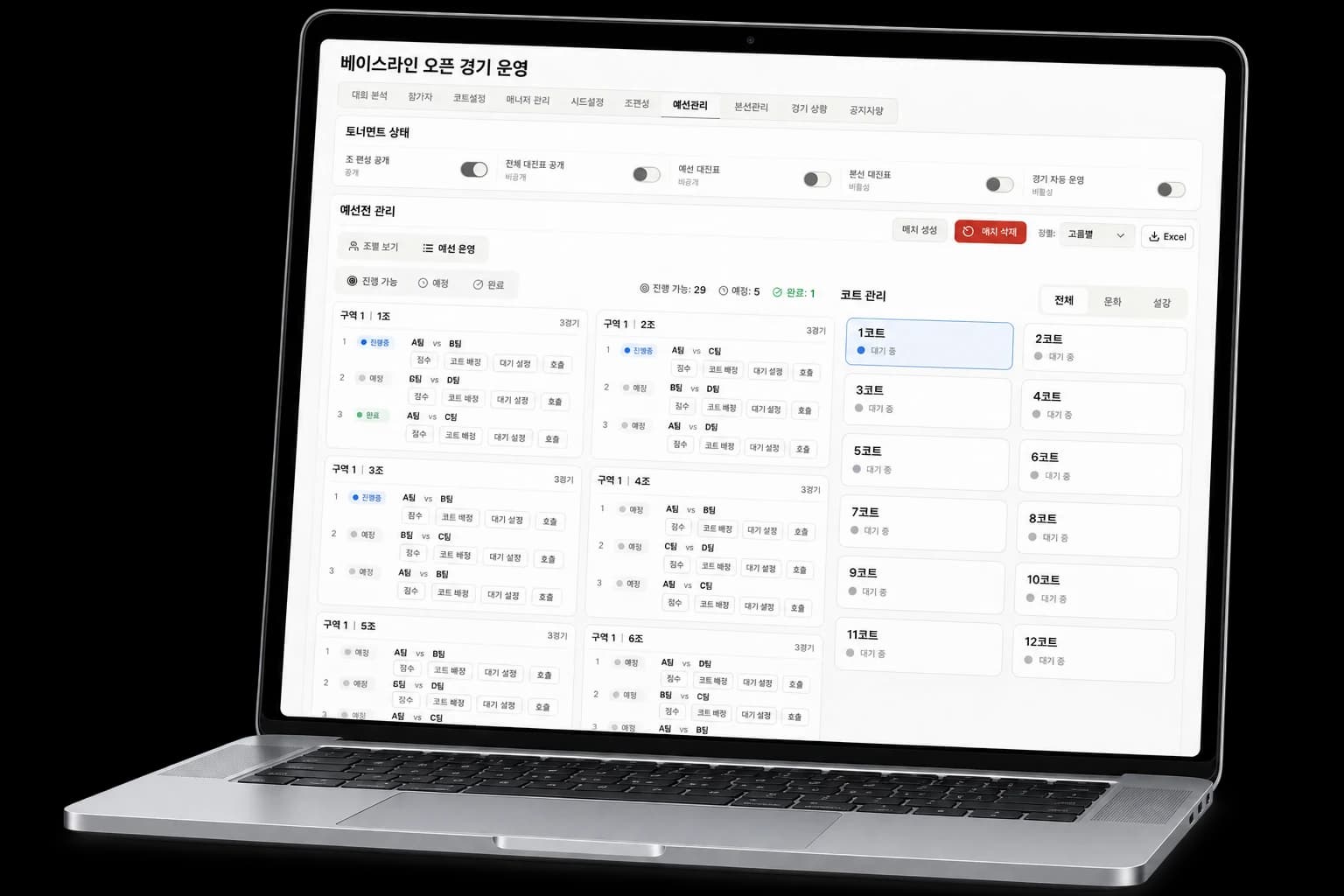

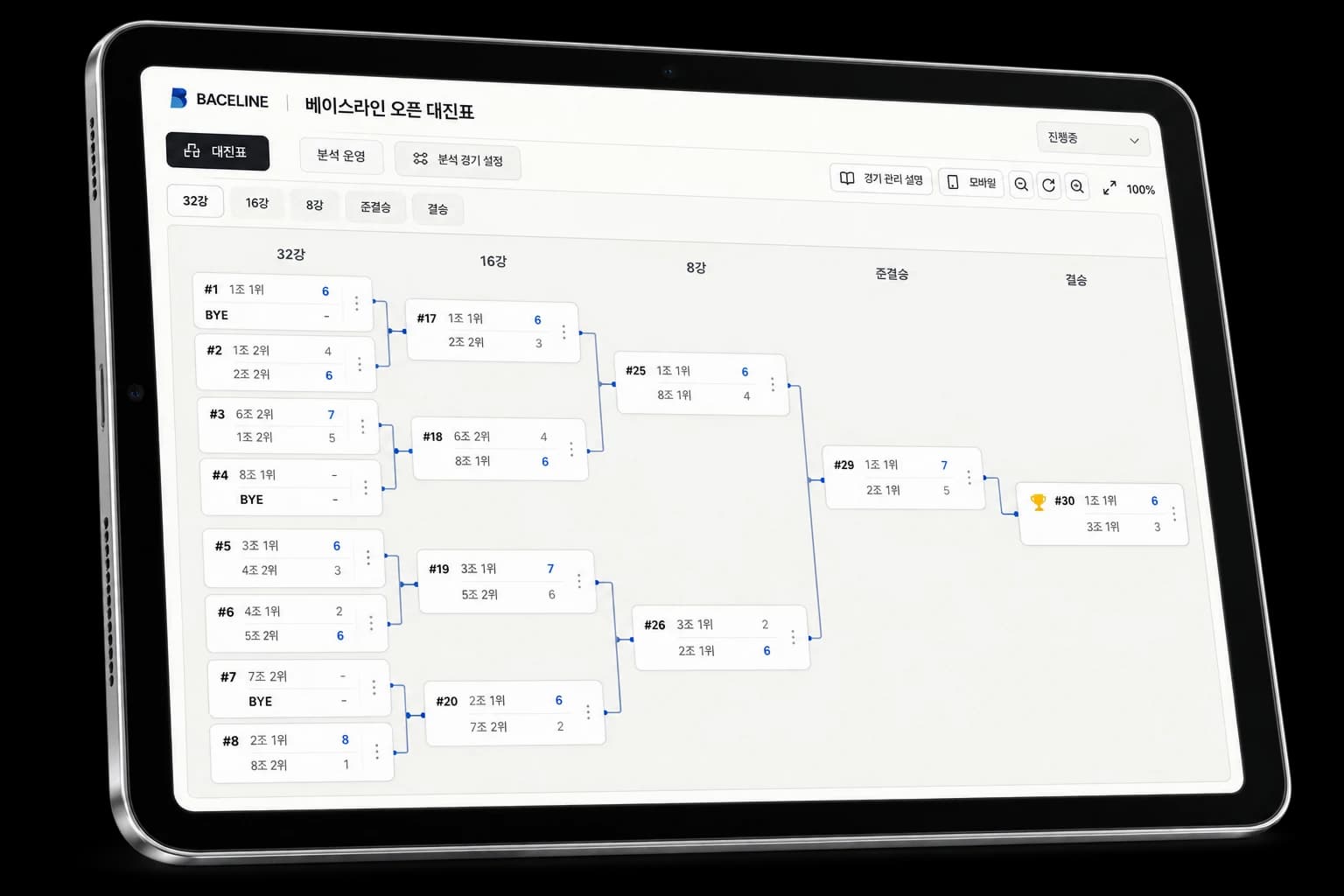
From seeds to finals. Draws, generated automatically.
Generate the knockout draw from your seeds, groups and qualification rules. Prepare BYEs and connections to the next round in one flow.
- Seeds and groups
- Automatic BYE placement
- Connected rounds

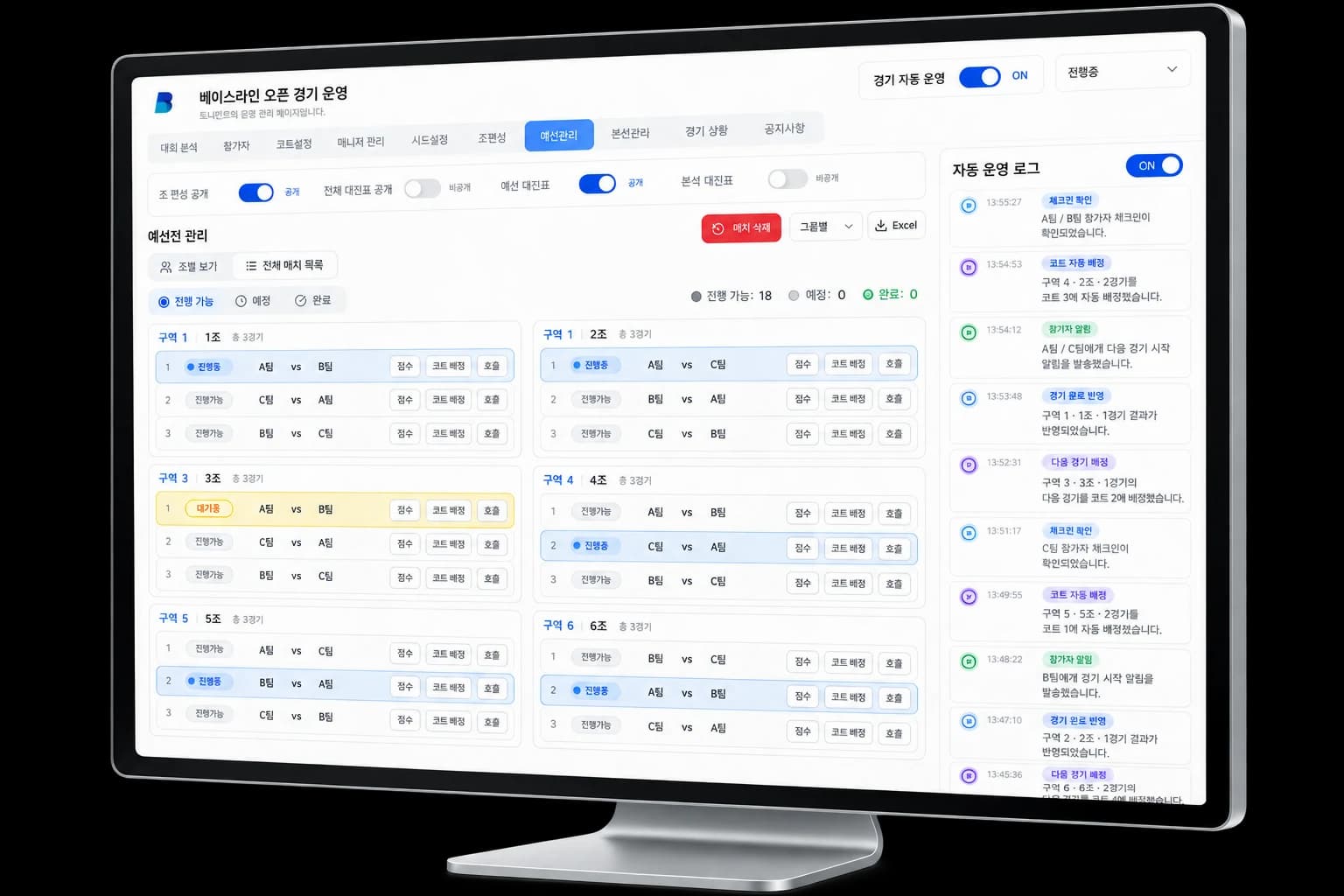
With BAI. 100% automatic match operations.
Use BAI to check your tennis tournament, review next-call candidates and set up automatic operations. Review setting changes before executing them. Once draws and courts are prepared, check-ins and submitted scores drive court assignments, participant alerts, the next match, standings and qualification. Keep your focus on the event.
- Check-in confirmed
- Court assignment and alerts
- Results and next match
- Standings and qualification

Run the event from your phone.
Organizers can enter scores and assign courts in the app with one hand. Switch between preliminary matches, finals and court view to follow progress. Handle on-site operations without opening a laptop.
Discuss your setup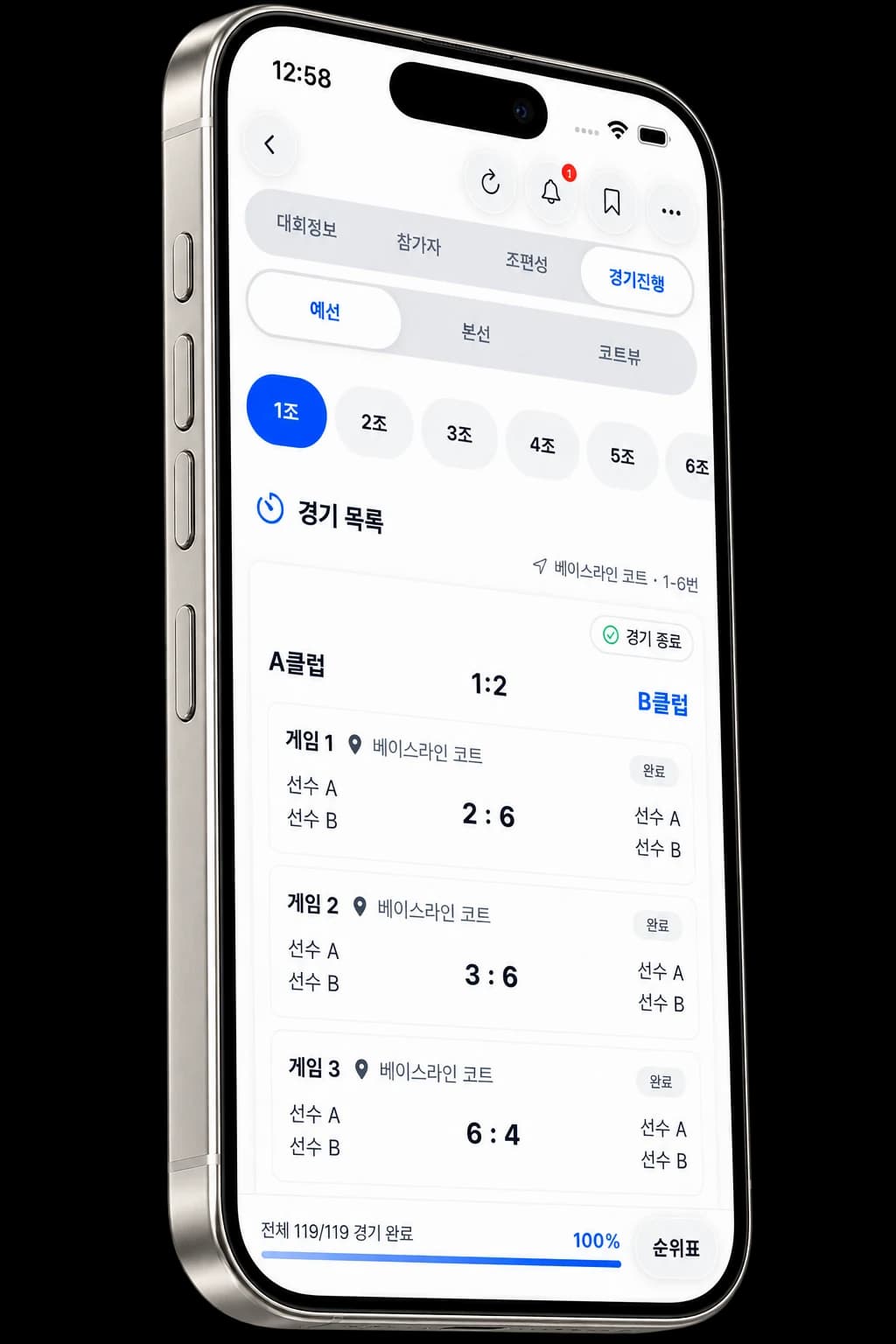

Keep important decisions with the organizer
Work within the event’s format and operating conditions. Automation keeps the required review and access controls in place.
Discuss your setup